Commands
Every command, every flag, and what each one writes. The config file itself has its own page: Configuration file. The reasoning behind these choices lives in the architecture section.
labelsync [flags] <command>labelsync --help prints the tree; labelsync <command> --help prints one command.
Global flags
Every command accepts these.
| Flag | Default | What it does |
|---|---|---|
-c, --config | search order | Path to the config file, or a directory to search |
--token | resolved, below | GitHub token (discouraged — prefer GH_TOKEN) |
-o, --output | pretty | Output format: pretty or json |
--debug | off | Write debug diagnostics to stderr |
--no-cache | off | Ignore the ETag cache for this run |
--concurrency | 8 | Maximum repositories read in parallel |
--write-rate | 70 | Maximum label writes per minute |
--max-wait | 15m | Longest a rate-limit backoff may sleep before the run fails |
A value the flags cannot honour is rejected before any work starts: an --output that is neither
format, a --concurrency or --write-rate below 1, a negative --max-wait.
--version is a root flag rather than a global one — it answers for the binary, so
labelsync sync --version is not a question sync has to have an opinion about.
Where the token comes from
labelsync never asks for a credential. It resolves one from four sources, in order, first
non-empty wins:
--tokenGH_TOKEN, thenGITHUB_TOKEN- The
ghconfig file gh auth token
If you are already logged in with gh auth login, steps 3 and 4 cover you and there is nothing to
set up. Steps 3 and 4 are both needed: gh keeps its token in the system keychain on macOS, where
reading the config file alone would not find it.
--token works, and it is discouraged: a token on the command line is in your shell history and
in every process list on the machine. GH_TOKEN is the same convenience without either. The value
is never written to a log, including under --debug — that only reports which of the four sources
won, which is worth knowing when a run turns out to have used a different account than you expected.
In CI the token needs more care than that: the GITHUB_TOKEN a workflow is handed automatically
cannot write labels to other repositories. See Running in CI.
With nothing to find, the run fails with no_token before any request is sent.
Commands
sync, export, groups, init, cache, and version are implemented. sync applies in
append mode by default, renames included, and removes labels only under
--mode=prune.
labelsync cache
The ETag store is what makes repeat dry-runs effectively free: a conditional request that comes
back 304 Not Modified does not count against GitHub’s primary rate limit, and labels change
rarely. It lives under $XDG_CACHE_HOME/labelsync (default ~/.cache/labelsync).
labelsync cache info                 # where it is, and what is in it
labelsync cache clear                # empty it
labelsync cache info --output=json
cache info reports the location, the entry count, the total size, the schema version, and how old
the oldest entry is. The two renderings differ on purpose:
| Field | In the table | In the JSON record |
|---|---|---|
| Size | 1.2 MiB | "bytes": 1258291 |
| Oldest | 3 days ago | "oldest": "2026-08-08…" |
A size a consumer cannot compare is not a size, and an age nobody can read is not an age — so each audience gets the form it can use, from the same value.
cache clear removes every cached label list and reports what went. It is bounded twice over:
only inside the resolved cache directory, which has to sit under the XDG cache home
(unsafe_cache_dir otherwise), and only the files labelsync itself wrote. The directory stays,
nothing is recursed into, and clearing an already-empty cache is a no-op rather than an error.
Nothing here is needed for correctness. --no-cache skips the cache for one run, a corrupt entry
is a miss rather than an error, and clearing it costs the next run one request per repository.
labelsync export
Writes a repository’s current labels as a config file.
labelsync export specsnl/labelsync                  # to stdout
labelsync export specsnl/labelsync > labels.yml     # the same, redirected
labelsync export specsnl/labelsync --out labels.yml # written for you
labelsync export specsnl/labelsync --out ./ops      # ops/labels.yml
Run this before your first sync against repositories that already have labels. Descriptions are authoritative: a label whose description your config does not carry has its description cleared. An export is a faithful starting point, so that never happens by accident.
The flag is --out, not the -o the design sketch used: -o is already the shorthand for the
global --output.
What comes out is sorted by name and normalised exactly the way the loader normalises a config — a
# stripped, hex lower-cased, names trimmed — so export, edit, export shows your edits and
nothing else. It carries a groups section naming the repository it came from and a
defaults.groups pointing at it, so the file works as it lands rather than after an edit nothing
told you to make.
With no --out, stdout is the file, whatever --output says. It is the one command whose
stdout is not one typed object per line, because > labels.yml has to produce a config file. With
--out, stdout is the usual record — {"path":"labels.yml","labels":12}.
Two labels sharing a colour
Colours have to be unique across a config file, and a repository is under no such rule. Where one genuinely holds two labels of the same colour, the export says so rather than inventing a difference:
  - name: "bug"
    color: "d73a4a" # also "defect" — colours must be unique across the file; change one
The file is exported as it is, and it is also warned about on stderr — a redirected export is a
file nobody reads until the next run rejects it. Which of the two to change is the one decision
labelsync cannot make for you, so it names both and stops there. Until you pick, loading the file
fails with duplicate_label_color.
labelsync sync
Makes every selected repository match the config. With --dry-run, computes what that would take,
prints the diff, and writes nothing.
labelsync sync                                        # apply, every group
labelsync sync --dry-run                              # print the plan, write nothing
labelsync sync --group websites                       # only these groups, repeatable
labelsync sync --repo specsnl/labelsync               # only these repositories, repeatable
labelsync sync --dry-run --mode prune                 # also list what would be removed
labelsync sync --mode prune                           # list them, then ask which to remove
labelsync sync --mode prune --yes                     # remove every unconfigured label
labelsync sync --output=json # NDJSON, one action per line| Flag | Default | What it does |
|---|---|---|
--dry-run | off | Compute and print, write nothing |
--mode | append | append never deletes; prune also removes unconfigured labels |
--yes, -y | off | With --mode=prune, remove every candidate without prompting |
--group | all | Restrict to a group, repeatable |
--repo | — | Restrict to an owner/repo, repeatable, bypassing group enumeration |
What applying does
Append mode — the default — never deletes anything. A run creates the configured labels a repository is
missing, updates the ones whose colour, description, or casing has drifted, applies the renames
section as a PATCH — which preserves the label’s issue and pull-request associations — and moves
any unconfigured label sitting on a configured colour onto a colour of its own.
The plan is printed before anything is written, so a long run shows what it is about to do, and so the stdout of an apply matches the stdout of the dry run that preceded it. A second line closes it with what actually happened:
2 repositories · 4 created · 0 updated · 0 deleted · 4 unchanged
applied: 4 created · 0 updated · 0 deleted · 0 unchanged
The two are the same on a clean run and differ exactly when a repository failed partway. In JSON they
are two records, discriminated by kind:
{"kind":"summary","repositories":2,"created":4,"updated":0,"deleted":0,"unchanged":4}
{"kind":"applied","repositories":2,"created":4,"updated":0,"deleted":0,"unchanged":0}
Applying is safe to repeat. Running sync twice in a row leaves the second run with nothing to do —
that is what a reconciler means, and it is asserted in the test suite rather than assumed.
Writes are paced at --write-rate a minute (default 70) to stay under GitHub’s content-creation
limit, so a large first run takes a while on purpose. A run that would need more requests than the
rate-limit budget has left is refused before its first write (budget_exhausted) rather than
stopping halfway.
A repository that cannot be reached partway through is abandoned, the rest are still applied, and the
run exits 4. The exit codes in full, and what to branch on in a CI job, are in
Running in CI § Exit codes.
What a rate-limit wait looks like
A run that has to wait says so, on stderr, so > out.txt still captures only the answer:
⏳ Secondary rate limit — resuming in 04:32 · 143 writes remainingAt a terminal that is one line, rewritten in place each second and cleared when the wait ends. Into a
pipe or a CI log it is a plain line every 30 seconds with no control characters — a \r in a log
file is unreadable. Under --output=json it is a structured event on stderr at the same interval:
{"level":"warn","event":"rate_limit_wait","kind":"secondary","seconds":272,"resume_at":"2026-07-31T14:22:10Z","writes_remaining":143}kind is primary (the hourly budget), secondary (the content-creation limit) or budget (the
proactive pause before the hourly budget runs out). --max-wait caps the total time a run may spend
asleep across all of them; exceeding it fails with max_wait_exceeded instead of taking the
wait.
Renaming labels: the migration recipe
A renames: entry moves an existing label onto a configured name without losing anything. It
becomes a PATCH carrying new_name, which keeps the label’s id — so every issue and pull request
that carried it still carries it afterwards, under the new name. A delete plus a create would look
identical in the label list and would strip the label from every one of them.
The worked example is the migration nearly every repository needs, because GitHub creates the same
nine stock labels in every new one: moving bug, enhancement, and documentation onto a type:
prefix.
version: 1

groups:
  ours:
    repos: [yourorg/yourrepo]

defaults:
  groups: [ours]

renames:
  - from: "bug"
    to: "type: bug"
  - from: "enhancement"
    to: "type: feature"
  - from: "documentation"
    to: "type: docs"

labels:
  - name: "type: bug"
    color: "d73a4a"
    description: "Something isn't working"
  - name: "type: feature"
    color: "a2eeef"
    description: "New functionality"
  - name: "type: docs"
    color: "0075ca"
    description: "Documentation only"
The whole migration, in order:
labelsync export yourorg/yourrepo --out labels.yml— start from what is actually there. Descriptions are authoritative, and this is what stops the migration clearing the ones you have.- Edit the file. Rename the label in the
labels:section to its new name, and add arenames:entry pointing the old name at it. Both halves are needed: the rename says which existing label to move, and thelabels:entry is what it is moved onto. labelsync sync --dry-run— the plan shows each rename as the transition it is,bug → type: bug, before anything is written.labelsync sync— the renames go out first, before every other write for that repository, so the rest of the run matches against the new names.- Check an issue. The label is still on it, under the new name.
Then, on the runs after that:
- Re-running changes nothing. A rename whose
fromno longer exists is skipped silently, so the second run is all no-ops. That is why arenames:entry can be left in the file indefinitely — it is a migration that has already happened, not a pending instruction. - Leaving it in is also what covers the repositories you add later. A repository that joins the
group next month still holds
bug, and the same entry migrates it on its first sync. - Removing the entry is safe once every repository has been synced. It is bookkeeping, not a correctness step.
Three rules decide whether a rename happens at all, and all three compare names case-insensitively, because GitHub’s label identity does:
| The repository has | What happens |
|---|---|
bug, and no type: bug | The rename is applied |
No bug | Skipped silently — already migrated, or never had it |
Both bug and type: bug | Skipped — the target is taken. type: bug converges; bug is left alone |
The last row is the one to know about, and it is labelsync’s own repository: bug and type: bug
both exist there, because the type: set was created alongside the stock labels rather than
migrated onto them. labelsync will not merge two labels into one — GitHub would answer the PATCH
with the same 422 already_exists it uses for a colliding create, and merging their issues is not
something a label API can do. Move the issues over by hand, then remove the leftover label: under
--mode=prune it is offered as a candidate, since the config does not mention it. Note that until
you do, bug is also a squatter on type: bug’s colour, so the next append-mode run moves it
off — which is what makes the two visibly different in the meantime.
A case-only rename such as bug → Bug is rejected by config validation, and needs no entry:
casing drift is converged anyway, by the same new_name mechanism and with the same associations
kept.
Removing labels: --mode prune
Deleting a label removes it from every issue and pull request that carries it, and nothing restores that. So prune is never implicit and always report-first:
- It needs
--mode=prune. Append mode has no path to a delete at all. - The plan is printed first, with every unconfigured label as a
deleteline annotatedunconfigured. That list is the report you decide from. - Removal then needs an answer: tick the ones to remove in the prompt, or pass
--yes.
specsnl/example-website
  - delete  duplicate                    (unconfigured)
  - delete  wontfix                      (unconfigured)

1 repository · 0 created · 0 updated · 2 deleted · 2 unchanged
Remove these labels?
Space selects · enter confirms · a deleted label is removed from every issue and pull request that
carries it, and nothing restores that.
[•] specsnl/example-website duplicate
[ ] specsnl/example-website wontfixNothing arrives pre-ticked. Only what you select is deleted; the rest of the plan — the creates, the
updates, the recolours — is applied either way, and answering with nothing selected is a perfectly
good answer. Ctrl-C ends the run and writes nothing at all.
labelsync sync --mode prune --yes                     # every candidate, no prompt
labelsync sync --dry-run --mode prune                 # list them, decide later
Without a terminal on stdin, --mode=prune refuses rather than prompting. A prompt shown to a
pipe blocks a CI job until somebody cancels it, so a prune with nobody to ask fails immediately with
interactive_required (exit 1) — before the config is read and before the first request. The two
ways through are the two the message names: --yes to remove everything, or --dry-run to only
list. --dry-run never prompts and so is never guarded, which is what makes it the prune a
pull-request check can run.
The check is on stdin specifically. A job with a terminal on stderr and its stdin closed still refuses, because the hang being avoided is a read with nobody to answer it.
Recoloured labels are candidates too. A label the config does not mention that was sitting on a configured colour gets moved off it and offered for removal: the recolour happens because a configured label wants that colour, which says nothing about whether the label should survive.
Run groups first if you are unsure which repositories a prune will reach. A
repository no group selects is never touched in either mode — every label it holds stays, and none of
them is a candidate.
--repo bypasses enumeration, not the config. A repository named on the command line still gets
only the labels the groups that select it ask for, and a repository no group selects gets nothing
at all — said out loud on stderr rather than silently. Bypassing that too would make --repo the
one way to touch a repository the config does not cover, which is the safety property the whole
tool rests on.
Run export before the first sync against repositories that already have
labels. Descriptions are authoritative, so a label whose description your config does not carry has
its description cleared.
labelsync groups
Prints which repositories each group actually resolves to. It writes nothing, and it is the command to run before a prune or before the first sync against a new selector.
labelsync groups                                        # every group
labelsync groups --group specs-all --group personal     # only these, repeatable
labelsync groups --output=json | jq 'select(.repositories == 0)'
stdout is the table — one row per group, with the group, where its repositories come from, how
many it selected, and which ones. In JSON, repositories is a number and repos is an array,
so a consumer filters on them rather than matching prose:
{"group":"websites","source":"org: specsnl","repositories":2,"repos":["specsnl/a","specsnl/b"]}stderr is the explanation, and it is most of the point of the command:
- every repository a group’s filters removed, with the reason —
archived, and skip_archived is on,a fork, and skip_forks is on,visibility: public,matched by an exclude glob,matched by no include glob. The absence of a repository you expected is the thing this command exists to explain, so it is one line per repository rather than a count; - a warning for any group that resolves to no repositories at all;
- a warning when
visibility: privatewas asked for a user who is not the one the token belongs to, which GitHub can only ever answer with nothing; - the usual end-of-run summary of repositories that could not be reached.
Pipe stdout and you keep all of that on the terminal. 2>/dev/null keeps only the table.
A --group naming a group the config does not define is an error (unknown_group), not an empty
table: reporting nothing for a typo is how a working selector gets blamed. An owner that cannot be
listed does not stop the run — the other groups still resolve, and the exit code carries 4.
labelsync init
Writes a starter labels.yml — a worked example with an org group and a repos group,
defaults.groups, a rename, and four labels — into the working directory.
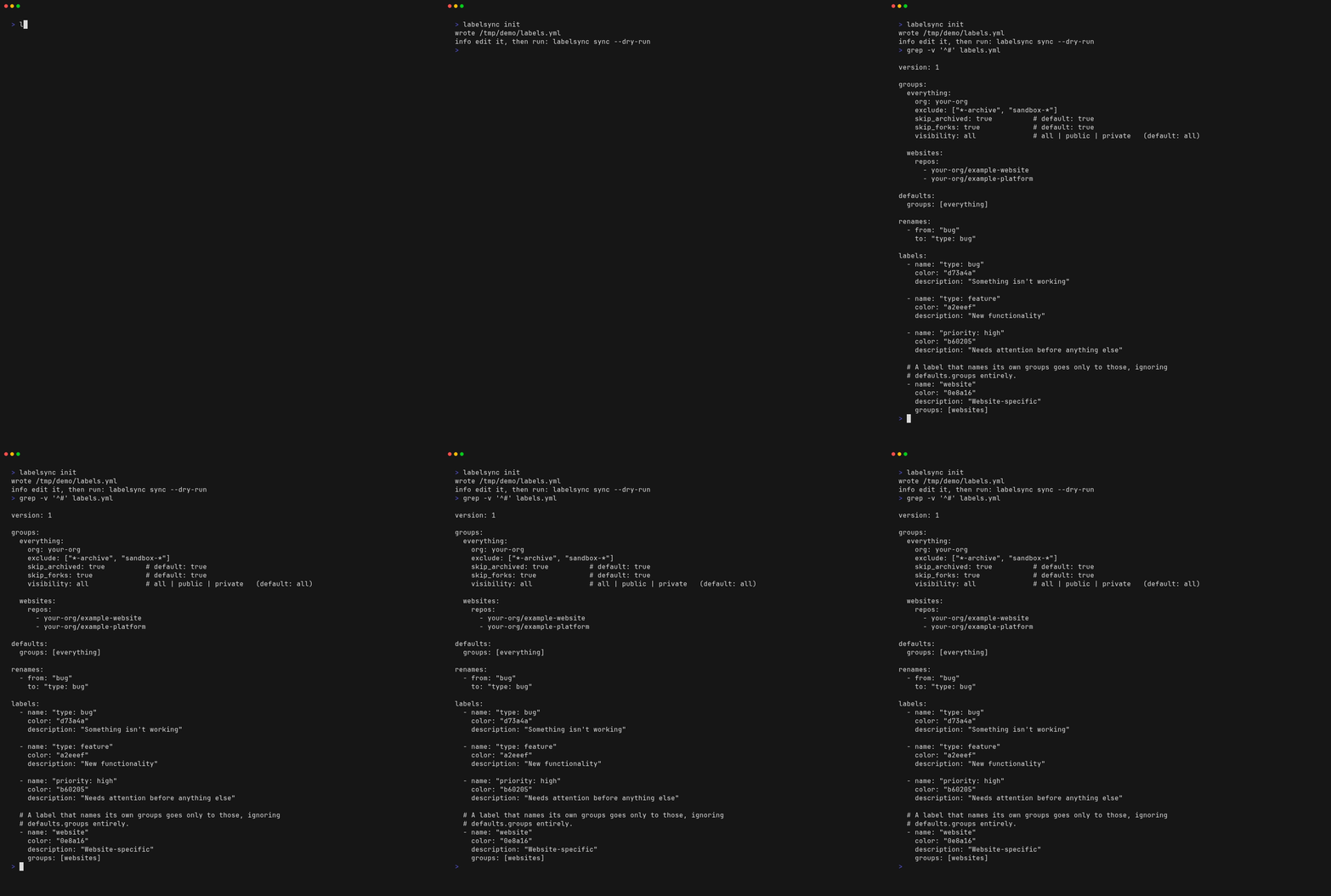
The recording strips the file’s header comments, which are two thirds of it — the scaffold itself explains each section in place.
labelsync init                            # ./labels.yml
labelsync --config ops init               # ops/labels.yml
labelsync --config ops/labels.yml init    # exactly there
labelsync init --force                    # overwrite what is already there
--config chooses the destination: a path writes there, a directory writes labels.yml inside it.
| Situation | What happens |
|---|---|
| Nothing is there | The file is written, and its path goes to stdout |
| The file already exists | config_exists — nothing is written; use --force |
The other spelling is there (labels.yaml) | ambiguous_config_file — even with --force |
The last row is not --force being over-cautious. A directory holding both labels.yml and
labels.yaml is rejected by every later run, a step removed from the command that caused it, and
there is no version of “I know what I am doing” that makes the result loadable. Remove the other
file first.
The scaffolded config is guaranteed to validate: it goes through the same rules any other config
file does, as part of the test suite, so init can never hand you a file the next command rejects.
labelsync version
Prints the version. It is a result, not narration, so it goes to stdout and can be captured.
labelsync version                    # labelsync version 1.2.3
labelsync version --dont-prettify    # 1.2.3
labelsync --version                  # 1.2.3   — identical to --dont-prettify
labelsync version --output=json      # {"version":"1.2.3"}
What the string itself looks like depends on how the binary was built: Versioning.